Use the guided tester to record observations. Browser response measurements are not hardware latency or true USB polling-rate measurements.
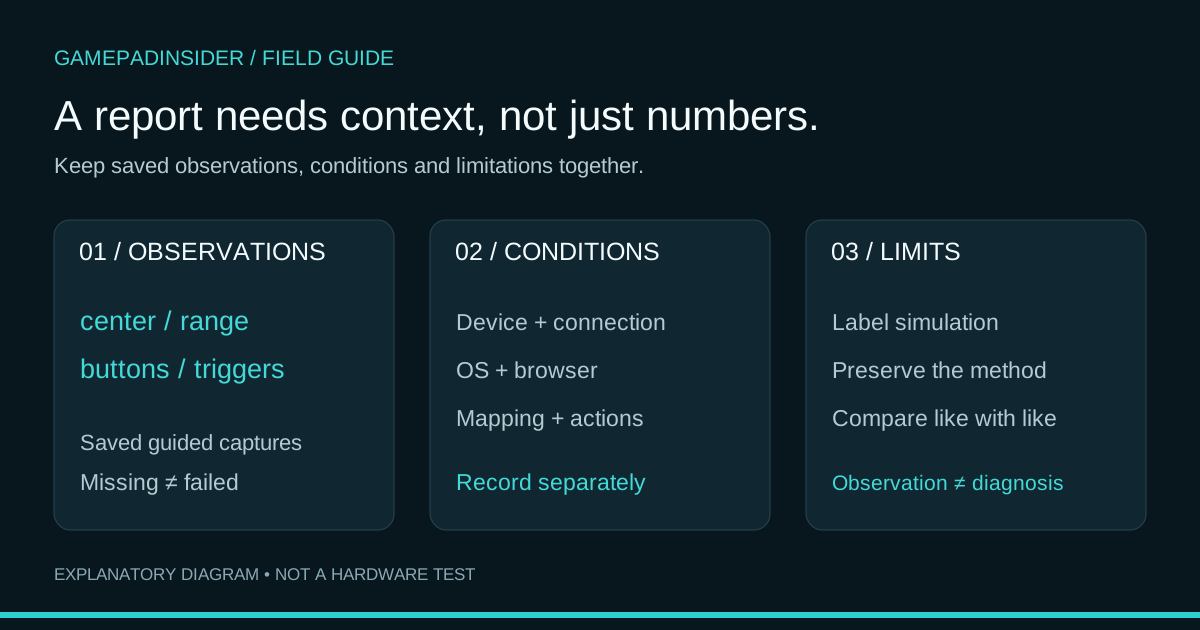
Open the controller tester →A useful controller report contains both observations and the conditions under which they were collected. A screenshot of a number is rarely enough. GamepadInsider can export saved guided checks as JSON, but it does not automatically record every detail another person needs to interpret them.
This guide follows the current export implementation and a saved simulated report. It explains what is included, what is missing and how to share a result without turning an observation into a diagnosis. You do not need to understand programming to use the checklist.
Before you start: choose real input or a demo
Open the controller tester, select the intended device and check its mapping. If you only want to learn the workflow, choose Try demo. That mode produces generated values and labels its exports SIMULATED — NOT A HARDWARE TEST. A demo file is useful for learning the format, not for proving anything about a controller you own.
Note the exact model, connection type, OS, browser version and any remapping utilities in a separate text note. The browser’s device identifier is not a complete inventory of that environment. MDN documents the Gamepad objects and device selection model; the report fields below are specific to GamepadInsider.
Capture and export a repeatable session
- Choose Start guided check. Release both sticks for the center capture and let it finish; the current implementation records roughly three seconds.
- For the range step, sweep both sticks around the full outer edge, then finish the capture. Repeat if coverage is incomplete before interpreting circularity.
- For buttons, deliberately press and release each control you intend to test. For triggers, compare released input and gradual travel to a full press where standard analog mapping is available.
- Review What we recorded. Export is available once there are saved results; Download report is also offered at the end of the guide. Skipped steps can leave the report incomplete.
- Keep the downloaded JSON with your environment notes. The filename is gamepadinsider-report.json for real input or gamepadinsider-demo-report.json for the demo; the browser may add a suffix when saving duplicates.
Stay on the tab while capturing. Hiding the page cancels an active capture in the current implementation. Changing or disconnecting the selected device clears saved results when the change is detected. Start a fresh session after such a change rather than assuming earlier observations still describe the current device.
What the top-level fields mean
| Field | Meaning | Interpretation limit |
|---|---|---|
| site | Identifies the exporting application. | It is not a signature or independent certification. |
| createdAt | ISO timestamp generated when Export is used. | It is the export time, not a wall-clock timestamp for every input sample. |
| mode | Distinguishes simulated data from browser-observed inputs. | Keep the simulation label intact when sharing examples. |
| controller | The selected device identifier exposed to the tester. | It does not establish authenticity, firmware or physical condition. |
| limitations | The application’s measurement caveat. | Keep this context with the results. |
| checks | Saved guided captures, keyed by center, range, buttons or triggers. | A missing key means that capture is absent, not that the corresponding hardware failed. |
Read the capture that matches the question
For resting input, inspect checks.center.mean and checks.center.peak. These arrays describe left and right radial offset: the mean and greatest observed distance from center. A JSON value of 0.05 corresponds to 5% of the tester’s unit-radius reference. It is not a five-percent hardware failure.
For a range sweep, use checks.range.coverage and checks.range.circularity. Coverage is represented as a fraction: 1 means all sectors met this tool’s coverage rule. A null circularity value means the range sweep did not satisfy the completeness requirement; it is not a perfect zero-deviation result. The stick-results guide explains the calculation.
For buttons, checks.buttons.buttons lists indices observed pressed during that capture, and checks.buttons.count records the exposed button count. An index absent from the list may simply have gone unpressed. For triggers, checks.triggers.triggers contains the maximum observed values for the standard-mapped trigger positions. Maximum values alone do not prove a clean release or smooth travel.
The capture objects share a common internal shape. Fields that are meaningful for one capture may remain at defaults in another. Interpret center metrics under the center capture and range metrics under range; do not read a default circularity field in a center capture as a second failed range test.
An actual demo-export excerpt
The following values are selected from a report generated during a simulated software check on November 14, 2026. This excerpt omits other fields for readability; it is not a complete export or physical hardware evidence.
{
  "mode": "SIMULATED — NOT A HARDWARE TEST",
  "controller": "Simulated controller — no hardware connected",
  "checks": {
    "center": {
      "mean": [
        0.009433981132056603,
        0.007211102550927979
      ],
      "peak": [
        0.009433981132056603,
        0.007211102550927979
      ]
    },
    "range": {
      "coverage": [
        1,
        1
      ],
      "circularity": [
        2.1510571102112408e-16,
        2.1510571102112408e-16
      ]
    }
  }
}
The demo’s left mean is approximately 0.009434, displayed as 0.94%. Its completed synthetic range has full coverage and circularity deviation that rounds to 0.0% in the interface. The tiny value near 2.15 × 10⁻¹⁶ in the raw JSON is floating-point residue, not a meaningful hardware observation. These deliberately controlled inputs illustrate the format; they are not target specifications for a real controller. Download the complete labelled sample.
What the report does not contain
The current export contains saved guided checks, not a continuous raw input recording. Its start field is a page-session timing value, not a calendar date, and samples is a count of collected samples rather than a measured USB polling rate. The file does not automatically include your OS version, browser version, game settings, screenshots, firmware or connection type.
It also does not export the reaction exercise result, a hardware-latency measurement, a vibration diagnosis or a calibration backup. Do not use this JSON as a restore file for controller settings. The response-measurement guide and Gamepad API vs WebHID explanation cover those boundaries.
Add context before sharing
Purpose of check:
Controller model and firmware, if known:
Connection and relevant mapping software:
OS and browser version:
Which steps were completed or skipped:
Observed symptom and whether it repeats:
What changed between comparison runs:
Report filename and export time:
Review the device identifier and any notes before posting publicly. The export is created in your browser when you request it; it is not automatically a support submission. Sharing the file elsewhere is a separate action. Avoid including passwords, serial-number photos or unrelated personal details unless the chosen support channel specifically needs them.
For a fair before-and-after comparison, keep the same environment and sequence, change one variable, and repeat the observation. Describe the result plainly: “left resting offset changed under these conditions,” rather than “this proves the sensor is repaired.” Preserve an untouched copy of each export, and label any edited or shortened copy.
Sources and verification
Field definitions, capture behaviour and example values were checked against the current exporter, diagnostic calculations and saved simulated JSON. See the testing methodology and privacy information. The browser input context is documented in MDN’s Gamepad guide. The sample remains explicitly simulated, and no physical-controller test or calibration restoration was performed for this article.
Try the relevant check and compare your observations with the guidance.
Stick movement · Buttons · Triggers